ORCA Workbench
A graphical workbench for building, launching, and monitoring ORCA quantum-chemistry calculations on a SLURM cluster — from a SMILES string, to a submitted job, to a plotted IR/NMR spectrum, without leaving the window. It drives ORCA and SLURM and visualises their output; it doesn't do the chemistry itself.
What it does
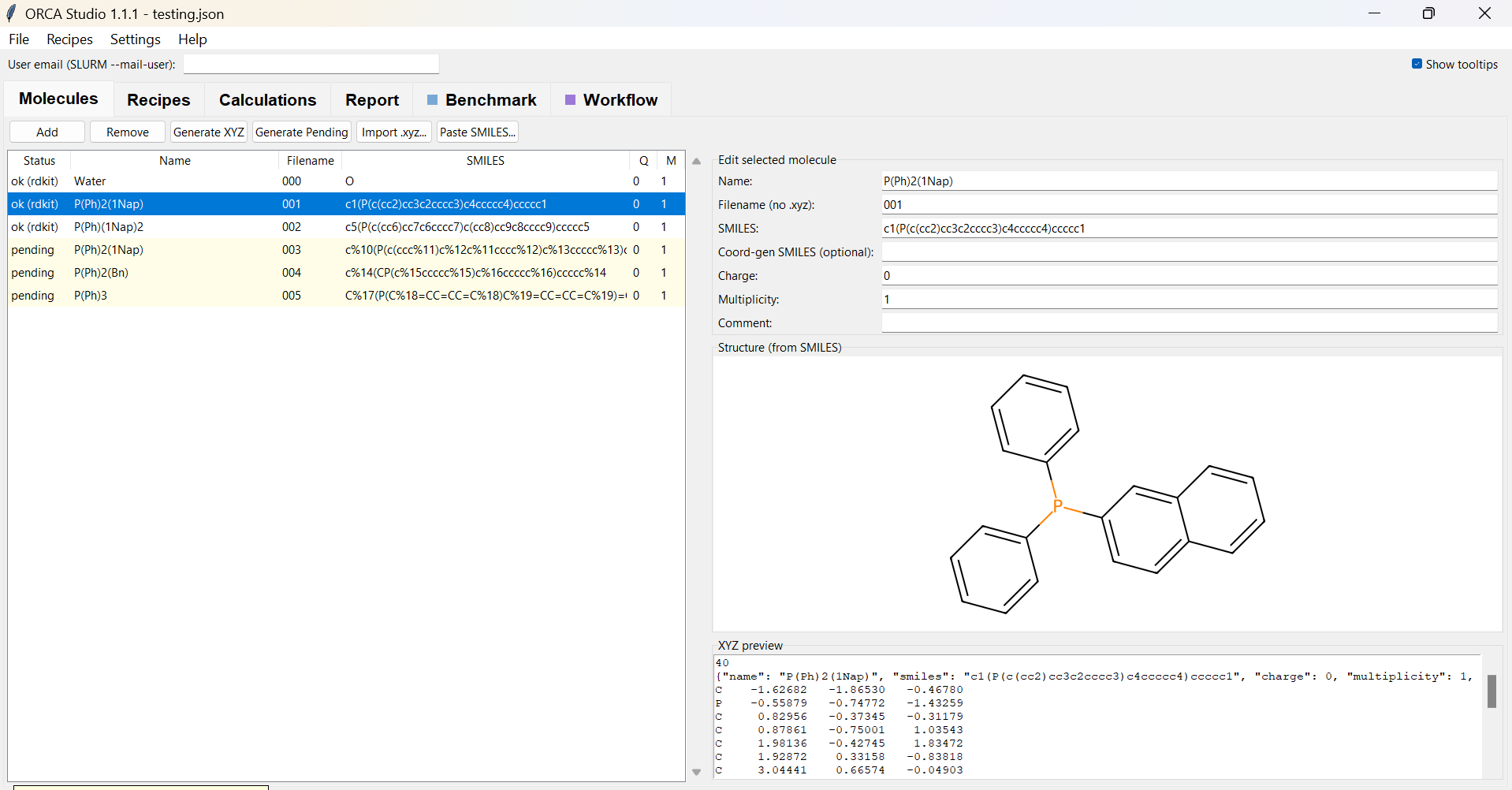
- Draw molecules from SMILES (RDKit → OpenBabel fallback) or import
.xyz. - Define theory levels once as reusable recipes (method + basis + variant).
- Generate and submit SLURM jobs into a tidy
calcs/<mol>/<category>/<type>/<method>/tree; derive follow-up calculations (FREQ/NMR/SP) from a finished optimisation in one click. - Watch jobs live — double-click a running job for a self-updating SCF / geometry-convergence plot.
- Extract results — energies, geometries, frequencies, NMR shieldings, thermochemistry — into a JSON + CSV report, and plot simulated IR and NMR spectra.
- Or draw a pipeline — wire
Molecules → Optimize → Frequencies → Condition →
  Property → Report
in the Workflow tab and let it build, launch, branch, and resume itself.
It's designed to run on the cluster login node and be displayed on your own
machine through an X-forwarding SSH client (e.g. MobaXterm), so it calls
sbatch/squeue directly and reads job output straight off the shared
filesystem. It also runs on a normal Windows/Linux/macOS PC for the build /
visualise / report parts.
About this documentation
This site is a quick entry point. The project README on GitHub remains the full, in-depth reference (Workflow internals, the SLURM template, the parser, and the design notes).